
Managing root-level credentials is a critical part of web hosting administration.
For many users, this task can quickly become complex and time-consuming.
Whether you’re a beginner setting up your first website or an experienced developer managing multiple domains, having the right tools makes a significant difference.
For this reason, understanding cPanel is essential for efficient web hosting management.
This comprehensive guide covers everything you need to know about cPanel.
In particular, it explains its core features, benefits, pricing structure, and how it compares to alternative solutions.
What is cPanel?
cPanel is a web-based control panel developed by cPanel, LLC (now owned by WebPros) that runs on Linux servers.
First released in 1996, it has become the most widely adopted hosting control panel in the industry.
As a result, it now powers millions of websites worldwide.
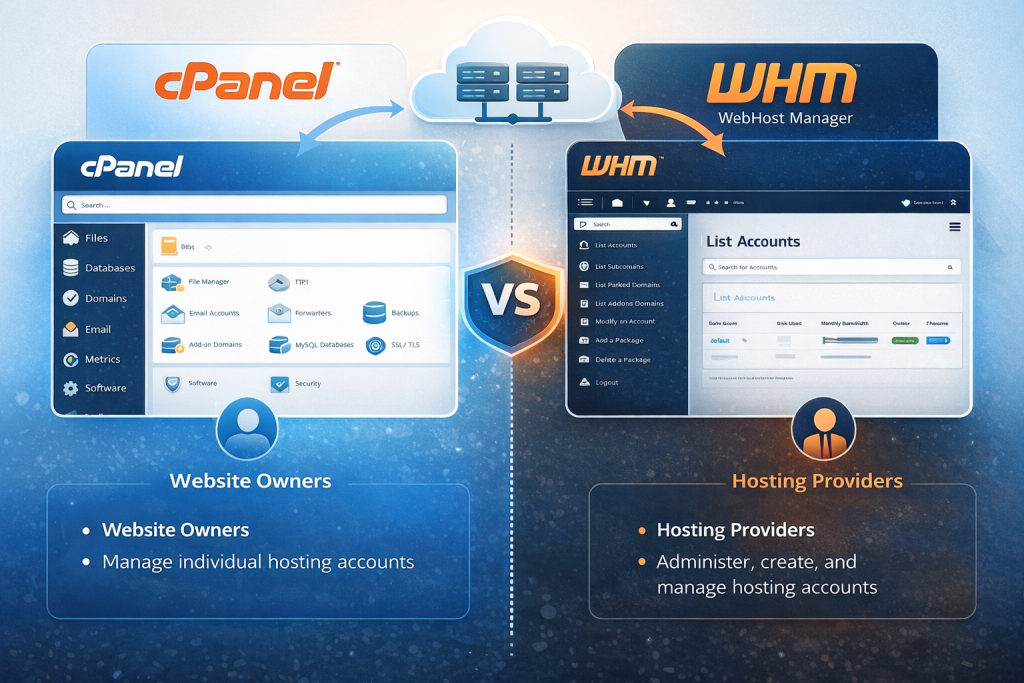
The platform consists of two main components:
- cPanel – The user-facing interface where website owners manage their hosting accounts
- WHM (Web Host Manager) – The administrative interface used by hosting providers and server administrators
Together, these tools transform complicated command-line operations into simple point-and-click actions.
Because of this approach, server management becomes accessible even to users without technical expertise.
How cPanel Works
cPanel operates as a layer between the user and the Linux operating system.
In practice, this means users do not need to interact directly with the command line.
When actions are performed through the cPanel interface—such as creating email accounts, managing databases, or installing applications—cPanel translates these actions into the appropriate system commands and executes them on your behalf.
As a result, complex administrative tasks become easier and more reliable.
The interface connects to your hosting account through a web browser, typically accessed via:
https://yourdomain.com:2083
https://yourserverip:2083
Key Features of cPanel
cPanel provides an extensive toolkit for managing virtually every aspect of web hosting.
Below are the primary feature categories explained in detail.
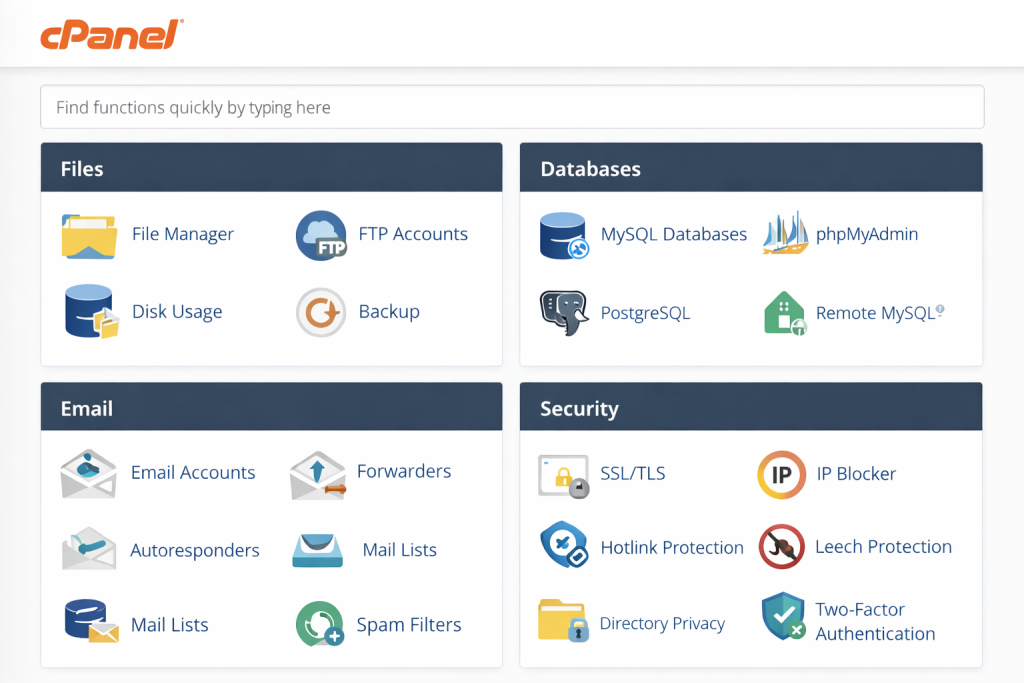
1. File Management
- File Manager – Browser-based file browser for uploading, editing, and organizing website files
- FTP Accounts – Create and manage FTP users for file transfer operations
- Disk Usage – Monitor storage consumption across directories
- Backup Manager – Generate full or partial backups of your hosting account
2. Database Management
- MySQL Databases – Create and manage MySQL/MariaDB databases
- phpMyAdmin – Web-based interface for advanced database operations
- PostgreSQL – Support for PostgreSQL databases (on compatible systems)
- Remote Database Access – Configure external database connections
3. Email Management
- Email Accounts – Create unlimited email addresses for your domains
- Forwarders – Set up email forwarding rules
- Autoresponders – Configure automatic email replies
- Spam Filters – Apache SpamAssassin integration for spam protection
- Mailing Lists – Manage email distribution lists
4. Domain Management
- Addon Domains – Host multiple websites on a single account
- Subdomains – Create subdomains for organizing site sections
- Redirects – Set up domain and URL redirections
- DNS Zone Editor – Modify DNS records for advanced configurations
5. Security Features
- SSL/TLS Management – Install and manage SSL certificates (including free Let’s Encrypt)
- IP Blocker – Block specific IP addresses from accessing your site
- Hotlink Protection – Prevent bandwidth theft from direct linking
- Directory Privacy – Password-protect specific directories
- Two-Factor Authentication – Add extra security layer to cPanel login
6. Application Installation
- Softaculous – One-click installer for 400+ applications including WordPress, Joomla, and Drupal
- WordPress Toolkit – Specialized management interface for WordPress sites
- PHP Version Manager – Switch between different PHP versions per domain
Benefits of Using cPanel
cPanel’s popularity stems from several significant advantages that benefit both hosting providers and end users.
User-Friendly Interface
The intuitive dashboard organizes functions into logical categories with clear icons and descriptions.
As a result, even users with no technical background can perform complex server tasks.
Industry Standard
Because cPanel is so widely adopted, extensive documentation and third-party integrations are available.
Therefore, skills learned on one hosting provider transfer seamlessly to another.
Time Efficiency
Tasks that would normally require multiple command-line operations can be completed through simple form submissions.
This dramatically reduces the time needed for routine maintenance.
Automation Capabilities
Features such as automated backups, cron jobs, and SSL renewals reduce manual intervention.
Consequently, hosting environments become more reliable.
Multi-Site Management
A single cPanel account can manage multiple domains, subdomains, and email accounts.
This makes it ideal for agencies and developers handling client websites.
Regular Updates
cPanel receives frequent security patches and feature updates.
As a result, your hosting environment stays aligned with modern standards.
cPanel Pricing and Licensing
cPanel shifted from flat-rate pricing to a tiered licensing model based on the number of accounts hosted on a server.
This change, introduced in 2019, significantly impacted hosting providers and resellers.
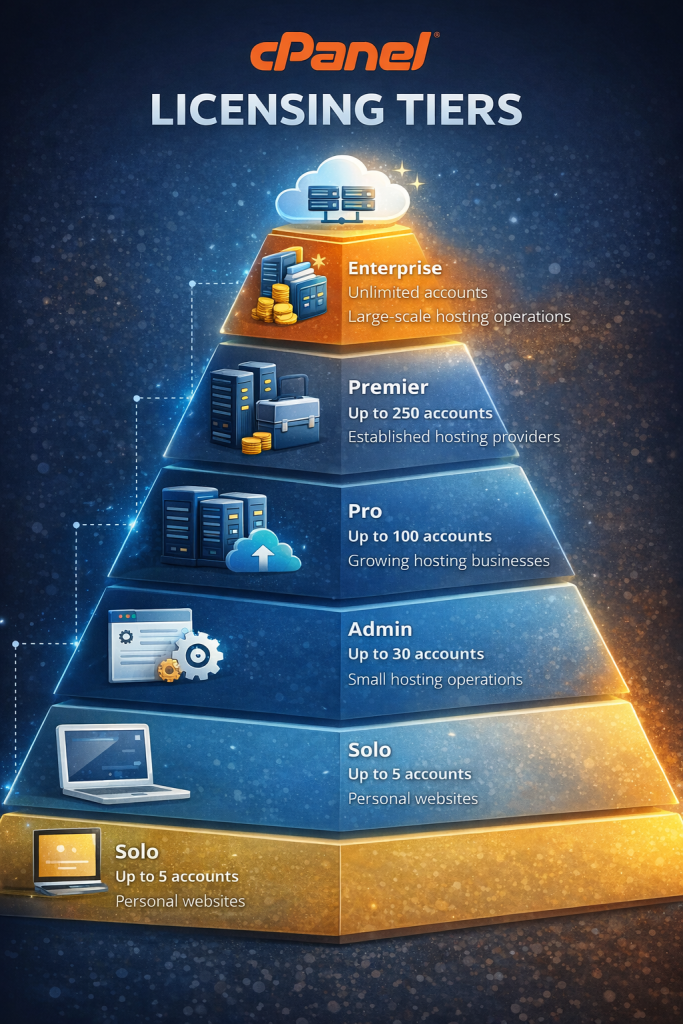
Current Licensing Tiers
| License Type | Account Limit | Typical Use Case |
|---|---|---|
| Solo | Up to 5 accounts | Personal websites, small businesses |
| Admin | Up to 30 accounts | Small hosting operations |
| Pro | Up to 100 accounts | Growing hosting businesses |
| Premier | Up to 250 accounts | Established hosting providers |
| Enterprise | Unlimited accounts | Large-scale hosting operations |
The pricing structure has pushed some providers toward alternatives.
However, cPanel remains dominant due to its mature ecosystem.
cPanel Alternatives
While cPanel leads the market, several alternatives offer different approaches to hosting management:
Plesk
The primary competitor, supporting both Linux and Windows servers with a modern interface.
DirectAdmin
A lightweight and cost-effective alternative with simpler licensing and lower resource usage.
Read more: What is DirectAdmin?
Enhance
A modern control panel designed for cloud-style hosting, offering scalable multi-server architecture and a clean user experience.
Read more: What is Enhance Panel?
CyberPanel
An open-source panel built on OpenLiteSpeed, often chosen for performance-focused WordPress hosting.
Read more: What is CyberPanel?
Webmin / Virtualmin
Highly flexible open-source management tools suited for admins who want granular control.
Read more: What is Webmin / Virtualmin?
Who Should Use cPanel?
- Beginners – Intuitive interface with minimal learning curve
- Small to Medium Businesses – Reliable hosting management
- Developers & Agencies – Efficient multi-site workflows
- Resellers – WHM-based account control
Getting Started with cPanel
Most hosting providers provision cPanel automatically.
If cPanel is not yet installed on your server, you can follow our step-by-step installation guide.
This tutorial covers system requirements, supported operating systems, and best practices for a secure setup.
Read more: How to Install cPanel on a Linux Server
Step 1 – Access Your cPanel
https://yourdomain.com/cpanel
https://yourdomain.com:2083
Step 2 – Explore the Dashboard
Review Files, Databases, Email, Domains, and Security sections.
Step 3 – Set Up Your Website
- Upload files to
public_html - Create databases
- Install WordPress via Softaculous
- Configure DNS if needed
Step 4 – Create Email Accounts
Set up professional email addresses for your domain.
Step 5 – Enable SSL
Install a free Let’s Encrypt certificate to secure your website and enable HTTPS.
Before applying advanced configurations, it is important to ensure that cPanel is installed correctly and running on the latest stable version.
Complete guide: cPanel installation and initial configuration
Best Practices for cPanel Management
- Enable two-factor authentication
- Use strong passwords
- Schedule regular backups
- Monitor disk and bandwidth usage
- Review unused accounts and services
Conclusion
For nearly three decades, cPanel has remained the leading Linux hosting control panel.
Its combination of usability, automation, and ecosystem depth makes it a reliable choice.
Although alternatives continue to evolve, cPanel’s standardization ensures long-term relevance.
By following best practices, users can manage secure and high-performing websites with confidence.