Web performance directly influences user experience, search engine visibility, and hosting efficiency. In practice, even small delays can negatively impact engagement and conversion rates.
For this reason, developers and hosting providers increasingly move away from traditional web servers such as Apache. However, many teams still face challenges when trying to balance speed, stability, and operational simplicity. In this context, LiteSpeed has become a popular choice because it delivers higher performance with lower resource usage.
Unlike Apache, LiteSpeed relies on an event driven architecture and native PHP acceleration through LSAPI. As a result, WordPress and PHP based websites can handle more traffic efficiently. At the same time, server resources remain stable, which helps reduce overall hosting costs.
Moreover, LiteSpeed includes built in server level caching through LSCache. Because of this, websites load faster and achieve stronger Core Web Vitals scores. Therefore, this guide explains what LiteSpeed is, how it works, and why it is widely adopted in high performance hosting environments.
For example, many WordPress hosting providers report significant performance gains after switching to LiteSpeed.
What is LiteSpeed?
LiteSpeed Web Server, commonly known as LSWS, is a commercial high performance HTTP server developed by LiteSpeed Technologies since 2003. In essence, it was created to address the performance and scalability limitations of traditional web servers.
As a result, LiteSpeed is designed as a drop in replacement for Apache. At the same time, it maintains full compatibility with Apache configurations, including .htaccess files and mod_rewrite rules. Because of this, websites can migrate to LiteSpeed without changing existing settings while still benefiting from significantly improved performance.
The platform is built around several key principles:
- Event-driven architecture – Handles thousands of concurrent connections efficiently
- Apache compatibility – Seamless migration from Apache with minimal configuration changes
- Built-in caching – LiteSpeed Cache (LSCache) integrated at the server level
- Superior PHP performance – Native LSAPI protocol accelerates PHP execution
As a result, LiteSpeed powers over 10 million websites worldwide and is particularly popular for WordPress hosting due to its exceptional performance improvements and integrated caching solution.
LiteSpeed Product Family
Additionally, LiteSpeed Technologies offers multiple products targeting different use cases:
- LiteSpeed Web Server (LSWS) – Commercial web server with full feature set
- OpenLiteSpeed – Free, open-source version with slightly reduced features
- LiteSpeed Web ADC – Application Delivery Controller for load balancing
- QUIC.cloud CDN – Content delivery network optimized for LiteSpeed
How LiteSpeed Works
In contrast, LiteSpeed operates on an architecture that differs significantly from traditional web servers. In contrast to Apache, it avoids a process based model that can become inefficient under heavy load. At the same time, it improves upon existing event driven approaches by optimizing how connections and requests are handled.
As a result, LiteSpeed combines the stability associated with Apache with the scalability commonly attributed to nginx. Because of this, the server can manage high levels of concurrent traffic while maintaining consistent performance and lower resource consumption.
Moreover, this approach improves overall efficiency while keeping day to day operations straightforward.
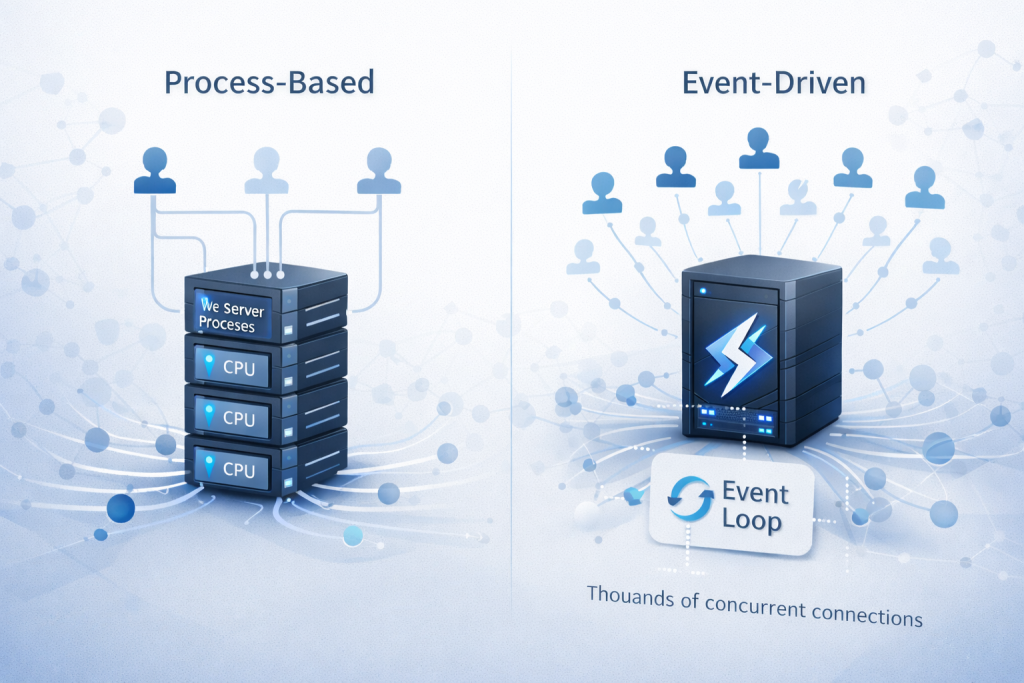
Event-Driven Architecture
Unlike Apache’s prefork model that creates separate processes for each connection, LiteSpeed uses an event-driven architecture that handles multiple connections within fewer processes. Consequently, this approach:
- Reduces memory consumption dramatically
- Eliminates context switching overhead
- Scales efficiently under high traffic loads
- Maintains performance with thousands of concurrent connections
LSAPI Protocol
LiteSpeed’s native LSAPI (LiteSpeed Server Application Programming Interface) accelerates PHP execution. In other words, the request flow becomes more direct:
# Traditional Apache + PHP-FPM
Request → Apache → PHP-FPM → PHP Processing → Response

# LiteSpeed + LSAPI
Request → LiteSpeed → LSAPI (Direct) → PHP Processing → Response
Because LSAPI reduces communication overhead between the web server and the PHP processor, it can deliver 50-100% faster PHP performance compared to PHP-FPM.
Built-in LSCache
Furthermore, LiteSpeed Cache operates at the web server level rather than as an external plugin. As a result, it typically:
- Caches dynamic content before it reaches PHP
- Stores cached pages in memory for instant delivery
- Supports private caching for user-specific content
- Integrates with WordPress, Joomla, Drupal, and other CMS platforms
Key Features of LiteSpeed
In addition, LiteSpeed offers a comprehensive set of features designed to meet modern web hosting requirements. In particular, it focuses on performance, scalability, and efficiency to support high traffic websites.
As a result, hosting providers and developers can deliver faster load times while maintaining lower server resource usage. At the same time, LiteSpeed simplifies server management by integrating advanced functionality directly at the web server level. Consequently, resource usage often remains stable even under high traffic conditions.

1. Performance Features
- HTTP/3 Support – First production-ready web server with QUIC protocol implementation
- Brotli Compression – Superior compression algorithm reducing bandwidth usage
- ESI (Edge Side Includes) – Cache entire pages while keeping sections dynamic
- LSAPI – Native PHP acceleration protocol for maximum performance
- Anti-DDoS – Built-in protection against connection floods and attacks
2. Caching Capabilities
- Server-Level Cache – Cache stored at web server level, not application level
- Object Cache – Redis and Memcached integration for database query caching
- Image Optimization – Automatic WebP conversion and image compression
- Browser Cache – Intelligent browser caching management
- CDN Integration – Native integration with QUIC.cloud and other CDNs
3. Security Features
- ModSecurity Compatible – Works with ModSecurity rulesets for WAF protection
- Anti-DDoS Protection – Per-IP connection limits and bandwidth throttling
- SSL/TLS Optimization – Hardware acceleration and session resumption
- WordPress Brute Force Protection – Built-in login attempt limiting
- Hotlink Protection – Prevent bandwidth theft from direct image linking
4. Apache Compatibility
- .htaccess Support – Full compatibility with Apache .htaccess directives
- mod_rewrite – Complete URL rewriting functionality
- Configuration Migration – Automatic conversion of Apache configs
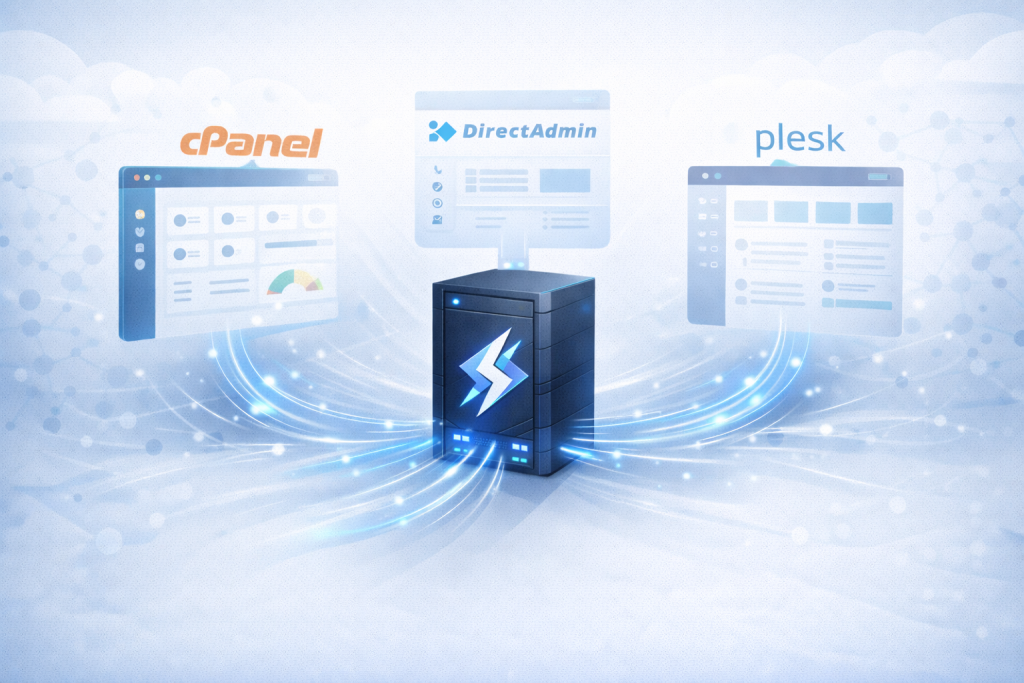
- Control Panel Integration – Works with cPanel, DirectAdmin, Plesk
5. WordPress Optimization
- LSCache WordPress Plugin – Official plugin with 1+ million active installations
- Database Optimization – Automatic cleanup and optimization
- Lazy Load – Image and iframe lazy loading for faster page rendering
- Critical CSS – Automatic critical CSS generation
- CSS/JS Minification – Automatic resource minification and combination
Performance Comparison
Real-world benchmarks demonstrate LiteSpeed’s performance advantages over competing web servers. However, results can vary depending on hardware and tuning.
Static Content Delivery
| Web Server | Requests/Second | Connection Handling | Memory Usage |
|---|---|---|---|
| LiteSpeed | ~50,000 req/s | 10,000+ concurrent | Low |
| nginx | ~40,000 req/s | 10,000+ concurrent | Very Low |
| Apache (prefork) | ~5,000 req/s | ~500 concurrent | High |
PHP Performance (WordPress)
| Configuration | Page Load Time | Requests/Second | TTFB |
|---|---|---|---|
| LiteSpeed + LSCache | ~200ms | ~1,000 req/s | ~50ms |
| nginx + PHP-FPM + Redis | ~400ms | ~500 req/s | ~150ms |
| Apache + PHP-FPM + W3TC | ~800ms | ~200 req/s | ~300ms |
LiteSpeed Pricing and Licensing
LiteSpeed offers multiple licensing options designed for different hosting scenarios. As a result, you can choose a plan that matches both performance needs and budget.
LiteSpeed Web Server (Commercial)
| License Type | Price | Worker Processes | Best For |
|---|---|---|---|
| LiteSpeed Starter | Free | 1 worker | Personal sites, testing |
| Site Owner | Pricing | 1 worker | 1 domain (5 subdomains) |
| Web Host Lite | Pricing | 2 workers | Up to 5 domains |
| Web Host Essential | Pricing | Unlimited | Unlimited domains |
| Web Host Professional | Pricing | Unlimited | 2-core CPU license |
| Web Host Enterprise | Pricing | Unlimited | 4+ core CPU license |
OpenLiteSpeed (Free & Open Source)
OpenLiteSpeed provides a free alternative with most features. However, it also has a few practical limitations:
- Cost – Completely free, open-source GPL v3 license
- Performance – Same event-driven architecture as commercial version
- LSCache Support – Full LiteSpeed Cache functionality included
- Limitations – No .htaccess support, WebAdmin GUI instead of cPanel integration
LiteSpeed vs Apache vs nginx
Understanding how LiteSpeed compares to traditional web servers helps determine which solution best fits your needs. For that reason, the differences below focus on performance, configuration, and PHP handling.
LiteSpeed vs Apache
Performance: In general, LiteSpeed handles concurrency more efficiently, while Apache can struggle under heavy load.
- LiteSpeed: 5-10x faster for static content, 50-100% faster for PHP
- Apache: Process-based model struggles under high concurrent connections
Compatibility: At the same time, LiteSpeed preserves Apache behaviors that many stacks rely on.
- LiteSpeed: 100% Apache-compatible, drop-in replacement
- Apache: Industry standard, maximum compatibility
Caching: Moreover, LiteSpeed includes server-level caching by default, whereas Apache often needs external components.
- LiteSpeed: Built-in server-level caching
- Apache: Requires external solutions (Varnish, Redis)
Best Choice: Therefore, LiteSpeed is the best choice for performance, while Apache can still be preferred if specific Apache-only modules are required.
LiteSpeed vs nginx
Performance: In many PHP-heavy cases, LiteSpeed gains an advantage through LSAPI, although static delivery is often close.
- LiteSpeed: Slightly faster for PHP with LSAPI
- nginx: Comparable static content performance
Configuration: However, the configuration experience differs, especially around per-directory rules.
- LiteSpeed: .htaccess support, familiar Apache syntax
- nginx: Own configuration syntax, no .htaccess support
PHP Handling: As a result, LiteSpeed can simplify PHP execution paths compared to nginx setups that proxy to PHP-FPM.
- LiteSpeed: Native LSAPI protocol
- nginx: Requires PHP-FPM proxy
Best Choice: Consequently, LiteSpeed is often better for WordPress and PHP workloads, while nginx can be a strong option for static-heavy services or microservices.
LiteSpeed vs OpenLiteSpeed
Control Panel Support: In practice, LSWS fits shared hosting workflows more easily due to panel integrations.
- LiteSpeed: cPanel, DirectAdmin, Plesk integration
- OpenLiteSpeed: WebAdmin GUI, no control panel integration
Apache Compatibility: Meanwhile, .htaccess support is a key operational difference.
- LiteSpeed: Full .htaccess support
- OpenLiteSpeed: Requires rewrite rules in config files
Cost: On the other hand, OpenLiteSpeed is free, while LSWS is licensed.
- LiteSpeed: $10-68/month depending on use case
- OpenLiteSpeed: Free and open source
Best Choice: Therefore, LiteSpeed is typically better for shared hosting, while OpenLiteSpeed suits custom VPS setups where you can manage configs directly.
Who Should Use LiteSpeed?
LiteSpeed is ideally suited for:
- WordPress Hosting Providers – Superior WordPress performance with LSCache integration
- High-Traffic Websites – Handles thousands of concurrent connections efficiently
- Shared Hosting Operations – Reduces server load, allowing more accounts per server
- E-commerce Sites – Fast page loads improve conversion rates and user experience
- SEO-Focused Sites – Page speed improvements directly benefit search rankings
- Hosting Resellers – Differentiates offerings with superior performance
However, LiteSpeed may not be necessary if you:
- Run primarily static websites with minimal PHP processing
- Have very low traffic that Apache handles adequately
- Require specific Apache modules not available in LiteSpeed
- Prefer free solutions and can manage OpenLiteSpeed or nginx
Getting Started with LiteSpeed
Getting started with LiteSpeed depends on the specific edition you choose. In general, the implementation process varies between the commercial LiteSpeed Web Server and OpenLiteSpeed.
As a result, installation steps and management tools may differ depending on the environment. At the same time, both options follow similar principles that allow administrators to deploy LiteSpeed efficiently and begin optimizing performance quickly. Consequently, the learning curve is often manageable even for teams coming from Apache.
Installing LiteSpeed Web Server (Commercial)
For servers with cPanel/WHM:
# Install LiteSpeed through WHM
cd /usr/local/src
wget https://www.litespeedtech.com/packages/cpanel/lsws_whm_plugin_install.sh
bash lsws_whm_plugin_install.sh
For DirectAdmin:
cd /usr/local/directadmin/custombuild
./build update
./build set webserver litespeed
./build litespeed
Installing OpenLiteSpeed (Free)
On Ubuntu/Debian:
wget -O - https://repo.litespeed.sh | sudo bash
sudo apt install openlitespeed
sudo systemctl start lsws
On CentOS/RHEL:
wget -O - https://repo.litespeed.sh | sudo bash
sudo yum install openlitespeed
sudo systemctl start lsws
Step 1 – Configure Virtual Hosts
LiteSpeed commercial version automatically imports Apache configurations. Meanwhile, for OpenLiteSpeed:
- Access WebAdmin at https://yourserver:7080
- Navigate to Virtual Hosts section
- Create new virtual host for your domain
- Configure document root and PHP settings
Step 2 – Install LSCache Plugin (WordPress)
- Install “LiteSpeed Cache” plugin from WordPress repository
- Activate the plugin
- Navigate to LiteSpeed Cache settings
- Enable cache and configure optimization settings
- Set up image optimization and CDN if desired
Step 3 – Optimize Settings
Key optimizations for WordPress include the following. As a result, you can usually improve both speed and stability:
- Enable Object Cache – Configure Redis or Memcached
- Optimize Images – Enable WebP conversion and lazy loading
- Minify Resources – Enable CSS/JS minification and combination
- Configure CDN – Integrate QUIC.cloud or other CDN
- Database Optimization – Enable automatic cleanup
LiteSpeed Cache for WordPress
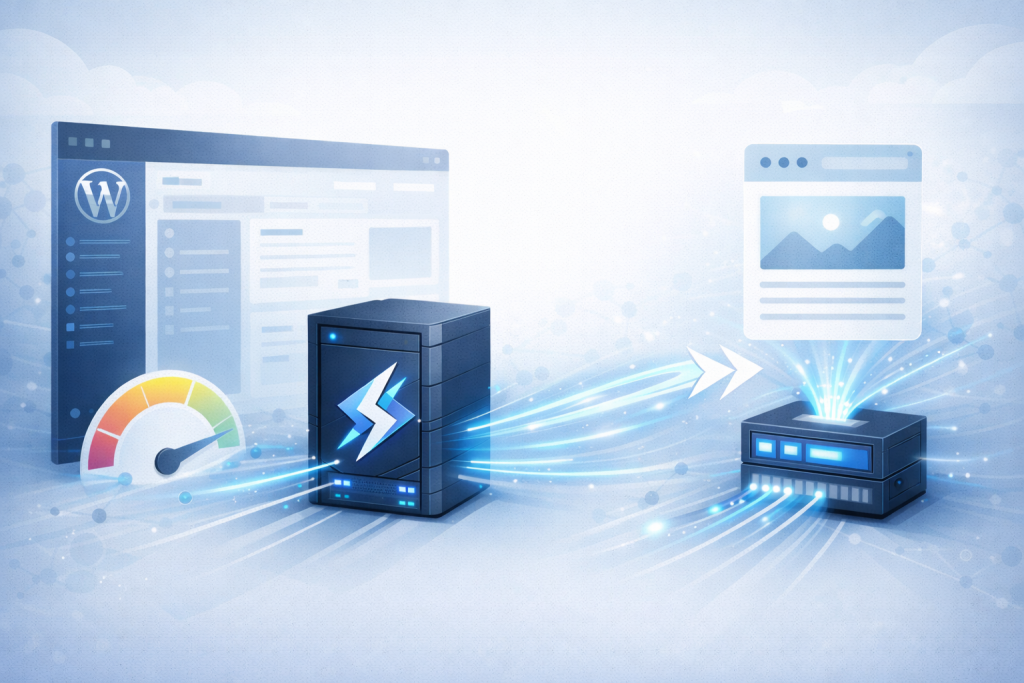
The LiteSpeed Cache WordPress plugin is widely considered the most powerful feature of LiteSpeed for WordPress hosting. In practice, it plays a critical role in improving page load times and overall site performance.
As a result, WordPress websites can serve cached content more efficiently and reduce server load. At the same time, the plugin integrates seamlessly with the LiteSpeed web server, allowing site owners to achieve advanced optimization without complex configuration. Consequently, it is often adopted quickly in hosting stacks.
For example, many WordPress sites report measurable performance gains after enabling LSCache.
Core Caching Features
- Page Cache – Cache entire pages for instant delivery
- Object Cache – Cache database queries via Redis/Memcached
- Browser Cache – Leverage browser caching for returning visitors
- Private Cache – Cache user-specific content separately
- Mobile Cache – Separate cache for mobile devices
Optimization Features
- Image Optimization – Lossless compression and WebP conversion
- CSS Minification – Minify and combine CSS files
- JavaScript Optimization – Minify, combine, and defer JavaScript
- HTML Minification – Remove unnecessary whitespace from HTML
- Lazy Loading – Delay loading of images and iframes
- Critical CSS – Generate and inline critical CSS automatically
Advanced Features
- ESI Support – Cache entire pages while keeping widgets dynamic
- Crawler – Automatically pre-cache pages via sitemap
- Purge Rules – Intelligent cache clearing on content updates
- WooCommerce Support – Special handling for e-commerce functionality
- QUIC.cloud Integration – CDN and image optimization service
Best Practices for LiteSpeed Management
- Enable LSCache Immediately – Install and configure LiteSpeed Cache plugin for maximum performance
- Configure Object Cache – Set up Redis or Memcached for database query caching
- Optimize Images – Enable WebP conversion and lazy loading in LSCache settings
- Monitor Cache Hit Rate – Check LiteSpeed reports to ensure cache is working effectively
- Use HTTP/3 – Enable QUIC protocol for improved connection performance
- Configure Anti-DDoS – Set appropriate connection limits per IP address
- Enable Brotli Compression – Better compression than gzip for bandwidth savings
- Implement CDN – Combine LiteSpeed with QUIC.cloud or another CDN
- Regular Updates – Keep LiteSpeed server and LSCache plugin updated
- Test Before Deploying – Always test optimization settings in staging environment
Common LiteSpeed Use Cases
WordPress Hosting
LiteSpeed is most commonly used for WordPress hosting, where its performance advantages are especially noticeable. In practice, the server delivers faster response times and improved scalability for WordPress based websites.
As a result, hosting providers offering LiteSpeed WordPress hosting can deliver significantly faster websites than competitors using Apache or nginx. At the same time, this performance improvement creates a strong marketing advantage in a highly competitive hosting market.
WooCommerce Stores
WooCommerce and other e commerce platforms benefit greatly from LiteSpeed performance optimizations. In particular, faster page load times have a direct impact on conversion rates and user engagement.
Because of this, LSCache private caching ensures that personalized content such as carts and account pages remains dynamic. Meanwhile, static content is efficiently cached to maintain consistent performance under load.
Shared Hosting Environments
Shared hosting environments require efficient resource usage to maintain stability across multiple accounts. In this scenario, LiteSpeed allows hosting providers to host more websites on a single server without sacrificing performance.
As a result, providers can improve profit margins while still delivering a better overall customer experience. At the same time, server reliability remains higher compared to traditional Apache based setups.
High-Traffic Publishing Sites
High traffic publishing platforms such as news websites and large blogs often experience sudden traffic spikes. In these cases, LiteSpeed handles thousands of concurrent visitors without performance degradation.
Therefore, content publishers can maintain fast load times and stable delivery without adding extra server resources. As a result, LiteSpeed becomes a reliable solution for scalable content driven websites.
Migrating to LiteSpeed
Migrating from Apache to LiteSpeed is usually a straightforward process thanks to strong configuration compatibility. In most cases, existing website settings can be reused without significant changes.
As a result, administrators can transition to LiteSpeed quickly and with minimal risk. At the same time, websites benefit immediately from improved performance and reduced server resource usage. However, performance results may vary depending on server configuration and workload.
Migration from Apache
For cPanel/DirectAdmin servers:
- Purchase LiteSpeed license
- Install LiteSpeed through control panel
- LiteSpeed automatically imports Apache configurations
- Test websites to ensure functionality
- Switch Apache to LiteSpeed (one-click in control panel)
- Install LSCache plugin on WordPress sites
Consequently, most migrations complete in under an hour with zero downtime.
Migration from nginx
nginx to LiteSpeed requires more work. For example, you typically need to translate configs first:
- Convert nginx configurations to Apache/LiteSpeed format
- Install LiteSpeed on server
- Configure virtual hosts manually
- Test all websites thoroughly
- Update DNS or switch traffic gradually
Common Issues and Troubleshooting
.htaccess Not Working (OpenLiteSpeed)
OpenLiteSpeed doesn’t support .htaccess files. Instead, convert rules to LiteSpeed rewrite format in the virtual host configuration.
Cache Not Working
- Verify LSCache plugin is activated
- Check cache is enabled in plugin settings
- Ensure server has LiteSpeed Cache module enabled
- Clear cache and test with cache-check tools
High Memory Usage
- Reduce number of worker processes if over-allocated
- Configure object cache to use Redis instead of in-memory
- Limit maximum connections per IP
SSL Issues
- Verify SSL certificate is installed correctly
- Check port 443 is configured for HTTPS
- Enable SSL in virtual host settings
- Test with SSL checker tools
Conclusion
Therefore, understanding these details is essential for making informed hosting decisions.
LiteSpeed Web Server has firmly established itself as a leading solution for high performance PHP and WordPress hosting. In summary, it delivers faster page load times, improved scalability, and more efficient resource usage.
As a result, hosting providers and website owners can achieve better performance without adding complexity. Therefore, LiteSpeed continues to stand out as a reliable choice for modern hosting environments focused on speed and stability. Ultimately, it helps teams scale while keeping operational overhead under control.